Security debt is not a technology problem. It is a sequencing problem, and your current pipeline is probably structured to guarantee it, here is a guide with 7 steps to implement DevSecOps Pipeline the right way.
Most engineering teams treat security as a final checkpoint: a scan that runs before the release tag, a penetration test scheduled once a quarter, or a compliance review that blocks the deployment two days before the deadline. That sequencing feels conservative. It is actually the riskiest way to build software.
TL;DR
- Security bolted onto the end of the pipeline causes last-minute release delays, failed audits, and vulnerabilities that slip into production undetected.
- DevSecOps means integrating security validation at every stage of the pipeline, not adding a security phase at the end.
- The seven steps to implement a DevSecOps pipeline cover threat modeling, SAST, SCA, secrets management, DAST, infrastructure security, and runtime monitoring, in that order.
- Green tooling does not equal secure software. Configuration gaps, alert fatigue, and missing ownership are the real causes of production vulnerabilities.
- Functional testing, accessibility testing, and nearshore QA teams all have a direct role in a mature DevSecOps posture.
Security at the End of the Pipeline Is Not a Safety Net. It Is a Liability.
The assumption behind end-stage security is that the code is otherwise correct and only needs a final check. That assumption breaks down immediately in any codebase with more than a handful of contributors, a dependency tree deeper than ten packages, or a release cadence faster than monthly.
By the time a security scan runs at the tail end of the pipeline, the cost to fix what it finds has already multiplied. The NIST Secure Software Development Framework has long documented that defects caught in the design phase cost a fraction of what the same defects cost when caught after deployment. Security vulnerabilities are defects. The math is the same.
The failure pattern looks like this: a SAST scan flags a critical injection vulnerability two days before a planned release. The security team escalates. The engineering team disputes the severity. A workaround is negotiated. The release slips a week. The fix is incomplete because nobody fully understood the data flow before the scan ran. A month later, a related vulnerability surfaces in production because the workaround addressed the symptom, not the root cause.
This is not a hypothetical. It is the default outcome of security-last pipeline design.
What DevSecOps Actually Means When You Strip Away the Buzzwords
DevSecOps is the practice of distributing security responsibility and security validation across every stage of the software delivery lifecycle, rather than concentrating it in a single team or a single gate.
The term gets diluted quickly because every security vendor sells their product as a “DevSecOps solution.” What actually matters is the principle underneath: security checks happen at the same cadence as code changes, not on a separate schedule.
In practical terms, that means:
- A developer commits code and receives a static analysis result within the same feedback loop as their unit test results.
- A dependency update triggers an automated software composition analysis check before it merges.
- Infrastructure changes are validated against security policy before they are applied, not audited after the fact.
- Secrets, credentials, and API keys are scanned at the commit stage, not discovered during a breach investigation.
None of that requires a dedicated security engineer embedded in every team, though that helps at scale. It requires tooling configured correctly, ownership assigned explicitly, and a pipeline architecture designed to make security feedback fast enough that developers actually act on it.
The reason most teams fail to implement DevSecOps pipeline practices that stick is not a lack of tools. It is a lack of sequencing. They buy the tools and plug them in at the wrong stages, or they plug them in correctly but never assign a human to triage the output.
Seven Steps to Implement DevSecOps Without Grinding Your Releases to a Halt
These steps are ordered deliberately. Skipping ahead, or running them in parallel before the foundations are solid, is how teams end up with overlapping alerts, contradictory policies, and a security posture that looks mature in a dashboard and leaks in production.
1. Run a Threat Model Before You Touch a Single Tool
Threat modeling is the step that most tool-first implementations skip entirely, which is why they fail. Before you configure SAST, before you add a secrets scanner, before you purchase a CNAPP, you need a documented answer to three questions: what are you protecting, who would attack it, and through which entry points?
A threat model does not need to be a formal document requiring a security architect and six weeks. It can be a two-hour working session with your lead engineers and product owner that produces a data flow diagram, a list of trust boundaries, and a ranked list of attack vectors. The output of that session determines which tools you actually need and where in the pipeline they belong.
Without it, you will buy tools that address threat categories your application does not face and miss the categories it does.
2. Integrate Static Analysis Directly into the Pull Request Workflow
Static Application Security Testing (SAST) analyzes source code for known vulnerability patterns without executing the code. It is the earliest automated security signal you can give a developer, and it is most effective when it runs on the pull request, not on a nightly build.
When SAST runs on a nightly build, findings arrive hours after the developer has already moved on to the next task. Context is gone. The fix takes longer and is more likely to be incomplete. When SAST runs on the pull request, the developer sees the result while the change is still fresh, triages it in the same review session, and either fixes it or documents a reasoned acceptance decision.
Tools worth evaluating in this category include Semgrep, SonarQube, and Checkmarx. The tool matters less than the configuration. Unconfigured SAST against a large codebase produces thousands of low-severity findings that developers learn to ignore. Start with a narrow, high-confidence ruleset focused on your language stack and expand it incrementally.
3. Automate Software Composition Analysis on Every Dependency Update
The majority of production vulnerabilities in 2024 came not from custom application code but from third-party dependencies. The Sonatype 2024 State of the Software Supply Chain report found that open source malicious package attacks increased 156% year over year. Your application code may be clean while the library it depends on is not.
Software Composition Analysis (SCA) scans your dependency manifest against known vulnerability databases (NVD, OSV, and vendor-specific sources) and flags packages with published CVEs. This scan must run automatically whenever a dependency changes, not on a fixed weekly schedule.
Dependabot, Snyk, and OWASP Dependency-Check are common entry points. Whichever tool you choose, configure it to block merges when a critical-severity CVE is introduced, not just to notify. Notifications without enforcement produce noise. Enforcement with a clear remediation path produces action.
4. Enforce Secrets Detection at the Commit Stage, Not the Audit Stage
Credentials committed to version control are one of the most consistently exploited attack vectors in cloud infrastructure. The reason is simple: secret detection is often positioned as a compliance activity rather than a pipeline gate, which means it runs on a schedule and reports findings that are already weeks old.
Secrets detection belongs at the pre-commit hook and at the CI push event. If a developer attempts to push a commit containing an AWS access key, an API token, or a database password, the pipeline should reject it immediately and surface the specific file and line number.
GitLeaks and TruffleHog are both open-source and integrate cleanly into most CI systems. GitHub’s built-in secret scanning covers a broad set of known token formats if your organization is already on that platform. The implementation cost is low. The risk reduction is immediate.
5. Run Dynamic Analysis Against a Deployed Test Environment
Dynamic Application Security Testing (DAST) tests a running application by simulating attacker behavior: sending malformed inputs, probing authentication endpoints, and testing for injection vulnerabilities in live request/response cycles. It catches classes of vulnerabilities that static analysis cannot, because static analysis cannot observe how the application behaves at runtime.
DAST should run against a staging or pre-production environment as part of the release pipeline, not against production. The most commonly referenced tool in this category is OWASP ZAP, which is open-source and can be automated inside a CI/CD job. Commercial alternatives include Burp Suite Enterprise and StackHawk.
One implementation trap to avoid: DAST scans take longer than unit tests or static analysis. Running a full authenticated scan on every pull request will create exactly the release slowdown you are trying to avoid. Run DAST on every merge to the main branch and on every release candidate, with abbreviated smoke scans on feature branches when the change touches authentication, input handling, or API endpoints.
6. Validate Infrastructure Configuration as Part of the Deployment Pipeline
Application-layer security is only as strong as the infrastructure it runs on. An application with no injection vulnerabilities, properly managed secrets, and clean dependencies can still be compromised through an overly permissive S3 bucket, an unencrypted database, or a security group rule that exposes an internal service to the public internet.
Infrastructure as Code (IaC) scanning tools validate your Terraform, CloudFormation, or Kubernetes manifests against security benchmarks before they are applied. Checkov, tfsec, and KICS are open-source options that integrate directly into CI pipelines. Commercial cloud security posture management platforms like Wiz and Orca provide broader coverage at runtime.
The enforcement model matters here. IaC scanning should produce a hard failure on critical misconfigurations (publicly accessible storage, disabled encryption, missing access logging) and a warning on medium-severity findings. Policy-as-code frameworks like Open Policy Agent let you encode your organization’s specific security requirements as machine-readable rules that run in the pipeline, removing the dependency on a human reviewer catching a misconfiguration in a pull request.
7. Implement Runtime Monitoring with Defined Escalation Paths
The previous six steps reduce the probability that vulnerabilities reach production. Runtime monitoring handles the residual risk: the zero-day that no scanner caught, the misconfiguration introduced through a manual change, the credential exposed through a compromised developer account.
Runtime monitoring tools observe application and infrastructure behavior in production and alert on anomalies: unexpected outbound connections, privilege escalation attempts, unusual data access patterns. Extended Detection and Response (XDR) platforms and cloud-native application protection platforms (CNAPPs) operate in this space.
The failure mode here is alert without action. A runtime monitoring tool that sends emails nobody reads provides no security value. Before deploying any runtime monitoring, define the escalation path explicitly: who receives which alert categories, what the expected response time is, and what actions the responder can take without additional approval. Without that structure, runtime monitoring becomes another dashboard that looks good in a board presentation and does nothing during an actual incident.
When Your Tooling Is Green but Vulnerabilities Still Reach Production
This is the scenario that breaks engineering leaders’ trust in DevSecOps investments: every scanner shows a passing status, the compliance audit comes back clean, and then a security researcher files a responsible disclosure report three months after launch.
The gap is almost always one of three things.
The first is configuration coverage. SAST configured against a subset of the codebase will show green on the scanned portion and say nothing about the unscanned portion. SCA configured to only check direct dependencies misses transitive dependencies, which is where a significant portion of supply chain risk lives.
The second is context loss between tools. A vulnerability identified by SAST gets accepted in the tool’s interface because a developer marked it as a false positive. That acceptance is not synchronized to the DAST findings or to the security team’s risk register. Two months later, a DAST scan finds the same vulnerability confirmed at runtime, but nobody connects it to the prior acceptance decision.
The third is ownership ambiguity. When a finding comes out of the pipeline and there is no defined owner, it waits. It waits through the sprint review, the next sprint planning, and the retrospective. It waits until it is discovered in production, at which point it is no longer a backlog item. It is an incident.
A mature pipeline assigns ownership at finding creation, not at finding escalation.
Three Signs Your Pipeline Has DevSecOps Theater, Not DevSecOps
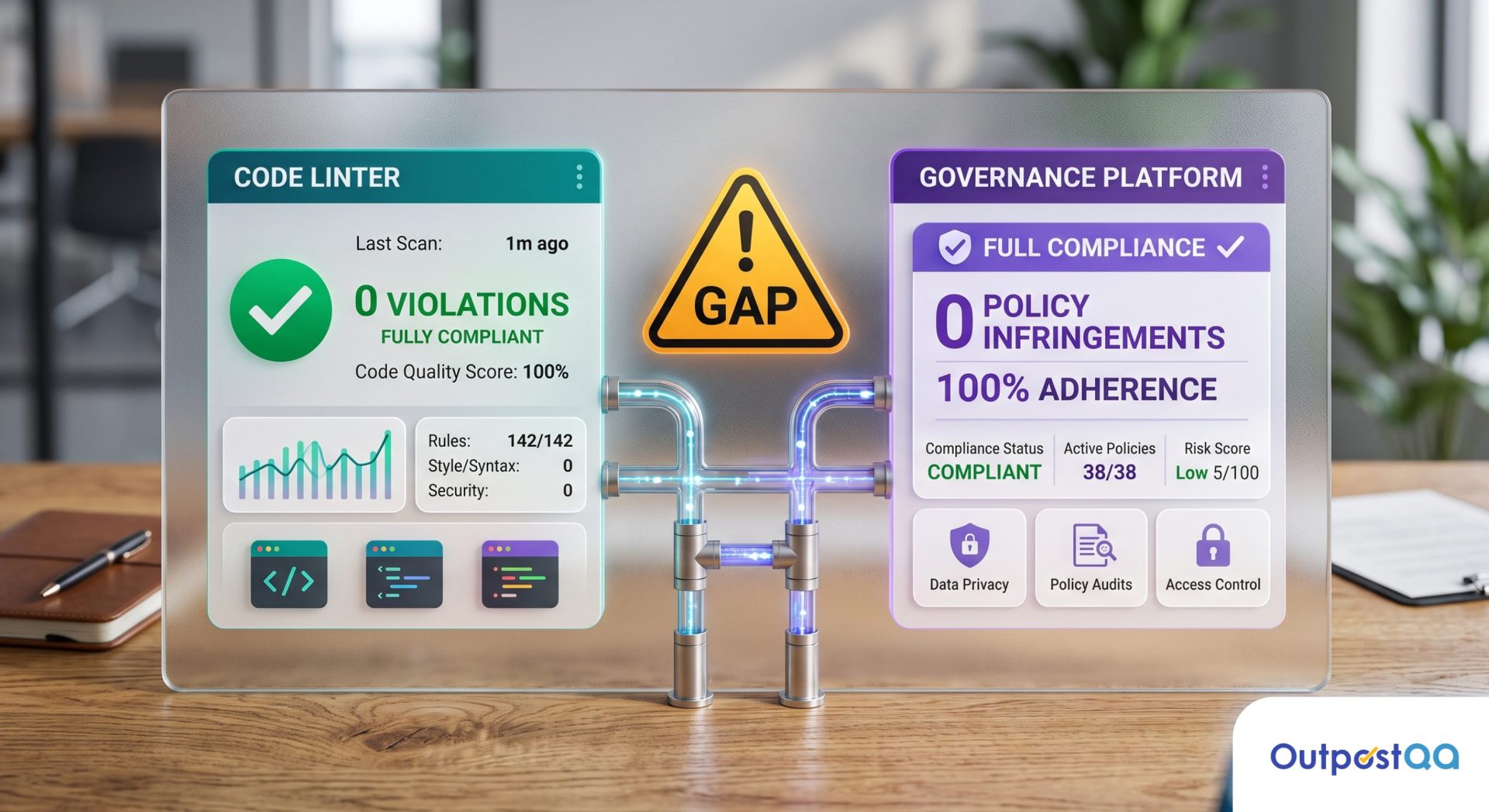
DevSecOps theater is the condition where a team has the tools, the dashboards, and the vocabulary of a secure pipeline without the actual risk reduction. It is surprisingly common, because the tooling is easy to buy and the discipline is hard to maintain.
Sign one: security scans run but never block a merge. If every finding is acknowledged and overridden because the team is under sprint pressure, the scan is producing reports, not protection. A pipeline gate that never closes is not a gate.
Sign two: the security team reviews findings after the sprint, not during. Asynchronous security review breaks the feedback loop that makes shift-left testing effective. If the developer who wrote the vulnerable code has already shipped two more features by the time the finding reaches them, the cognitive cost of context-switching back is high enough that fixes are often rushed or incomplete.
Sign three: the tool count is high but the alert response rate is low. More than four security tools in a pipeline without a centralized findings management process produces alert fatigue faster than it produces remediation. Developers tune out. Alerts pile up. Real findings get lost in the volume.
If any of those three signs describe your current pipeline, the problem is not the tools you are missing. It is the process design around the tools you already have.
What Functional and Accessibility Testing Have to Do with a Secure Pipeline
Security testing and quality testing are often treated as separate workstreams with separate owners. That separation creates gaps that neither stream covers.
Functional testing validates that the application behaves according to its specification. From a security perspective, that matters because a significant class of vulnerabilities involves the application behaving in ways it is not supposed to, and functional test cases often exercise the exact code paths where those deviations occur. An authentication flow that behaves incorrectly under edge case inputs is both a quality defect and a potential security vulnerability. Functional testers who understand basic security principles catch those edge cases earlier and characterize them more completely than a scanner that flags only known patterns.
Accessibility testing has a less obvious but real connection to pipeline security. WCAG compliance requires that authentication flows, error states, and session management features work correctly for users relying on assistive technology. Broken authentication flows for screen reader users are both an accessibility violation and an attack surface: if the authentication UI behaves differently for different input methods, that inconsistency is worth examining from a security standpoint. Teams that integrate accessibility validation into the release pipeline often surface interaction-layer defects that pure security scanners miss entirely.
A pipeline that treats functional coverage, accessibility compliance, and security validation as three separate silos will have gaps at every boundary between them. A pipeline that treats them as overlapping concerns, with shared test data and coordinated ownership, is more likely to catch the defects that fall between the lines.
Can a Nearshore QA Team Own Security Testing Without Slowing Down the Sprint?
The question engineering leaders ask most often when considering an external QA team for security and DevSecOps work is whether the coordination overhead will cancel out the capacity benefit. The concern is legitimate: a team operating in a different timezone, working through a project manager layer, and requiring detailed handoff documentation can easily add more friction than it removes.
The timezone and communication variables are where the nearshore model earns its differentiation. A QA team based in Mexico operates in full overlap with US engineering hours. Stand-ups, triage calls, and escalations happen in real time. A security finding flagged at 10 AM Pacific is discussed, triaged, and assigned by noon, not queued for a morning handoff across a twelve-hour gap.
When Flex, a fintech company managing payment solutions for renters and landlords, needed to close the gap between their automation coverage and their manual security and functional validation, the coordination model was the deciding factor. Outpost QA embedded directly into their sprint cycle and intercepted over 600 high-priority defects across 50 consecutive weekly releases, including payment vulnerabilities that would have reached production under the previous model. The sprint cadence did not slow down. The defect leakage did.
A nearshore QA team owning security testing validation within an established DevSecOps pipeline is not a compromise. When the team is embedded in the sprint, communicates without friction, and has defined ownership of specific pipeline stages, it accelerates the feedback loop rather than extending it.
Get a Pipeline Security Audit Before Your Next Release Cycle Starts
If your pipeline has some security tooling in place but you are not confident it is catching what it should, the most useful next step is not adding another tool. It is a structured assessment of where your current setup is leaking.
Outpost QA’s pipeline security audit identifies the specific stages where vulnerabilities are slipping through: misconfigurations in your existing scanners, ownership gaps in your findings management process, and coverage holes between your functional and security test suites. The output is a prioritized remediation plan tied to your actual release cadence, not a generic vendor recommendation.
If you are preparing for a compliance audit, scaling into a regulated market, or simply ready to stop finding critical bugs in production, request a pipeline security assessment and get a clear picture of where your current posture stands.
Frequently Asked Questions
What is the difference between DevSecOps and a traditional CI/CD pipeline?
A traditional CI/CD pipeline automates build, test, and deployment steps but treats security as a separate concern handled by a different team on a different schedule. A DevSecOps pipeline integrates security validation, including static analysis, dependency scanning, and secrets detection, into the same automated workflow that runs on every code change, so security feedback arrives at the same speed as any other test result.
How long does it take to implement a DevSecOps pipeline from scratch?
A basic implementation covering SAST, SCA, and secrets detection can be operational within two to four weeks for a team with an existing CI/CD pipeline and clear tooling choices. A mature posture that includes DAST, IaC scanning, runtime monitoring, and defined escalation paths typically takes three to six months, depending on codebase size, team structure, and how much remediation the initial scans surface.
Will adding security gates slow down our release cadence?
Correctly configured security gates add minutes, not hours, to a pipeline run. SAST and secrets detection on a pull request typically complete in two to five minutes. DAST on a staging environment takes longer, which is why it runs on merges to main rather than on every pull request. The more common outcome is that security gates speed up the release cycle by catching defects before they reach the final review stage, where fixing them costs significantly more time and effort.
What is the most common reason DevSecOps implementations fail?
Alert fatigue combined with undefined ownership. Teams deploy scanners that generate hundreds of findings per week, assign no specific person to triage each category, and watch the finding queue grow until developers stop looking at it. A DevSecOps implementation succeeds when every finding has a defined owner, a defined severity threshold that triggers action, and a defined escalation path when the finding is not addressed within the sprint.
Do we need a dedicated security engineer to implement DevSecOps?
Not at the early stages. The first three to four steps in a DevSecOps pipeline, including SAST, SCA, and secrets detection, can be configured and maintained by senior engineers with security awareness training. A dedicated security engineer becomes necessary when your pipeline is mature enough to require policy-as-code authorship, threat model facilitation, and red team coordination. Bringing in a specialized QA team to own the validation layer is a practical middle path for organizations that need security coverage before they can hire for it.