You have a release window approaching, a firmware build that passed smoke tests, and a QA team that has been running the same manual verification script for the last three sprints. The device ships. Two weeks later, a fleet of units in the field cannot complete an OTA update because the new firmware is incompatible with the previous version still running on a third of the installed base. No one tested that scenario. It was not in the checklist. There was no checklist.
TL;DR
- An IoT pre-launch testing checklist must span hardware validation, firmware compatibility, connectivity edge cases, security hardening, and CI/CD gate criteria simultaneously.
- Power cycling, fault recovery, and hardware-software sync across concurrent update paths are the failure modes that reach production most often, and the ones most teams under-test.
- Protocol conformance testing (MQTT, CoAP, BLE, Zigbee) and network degradation simulation are not optional for any device that operates in real-world environments.
- Security checks before the device ships must include firmware binary analysis, OTA rollback safety, and encrypted communication validation.
- If your pipeline triggers automated regression only on software builds and not firmware builds, you have a blind spot that will cost you a recall or an emergency patch cycle.
What an IoT Pre-Launch Testing Checklist Actually Needs to Cover
A complete IoT pre-launch testing checklist addresses six distinct layers: hardware and firmware validation, connectivity and protocol behavior, security and DevSecOps compliance, CI/CD pipeline gate criteria, fleet-scale interaction, and failure recovery under realistic field conditions. Missing any single layer creates a gap that compound failures exploit.
Most checklists circulating in QA teams right now cover functional testing and basic connectivity. They do not cover firmware rollback safety, protocol conformance under degraded network conditions, or gate criteria for promoting a firmware build to staging. That is why bugs that should never reach production keep reaching production.
Hardware and Firmware Validation Checkpoints
Hardware and firmware are not separable concerns at launch. A firmware build that performs correctly on a freshly provisioned device may behave entirely differently on a unit that has been in the field for eighteen months, cycled through power interruptions, and is running a version two generations behind.
Power Cycling and Fault Recovery Under Simulated Field Conditions
Every IoT device will encounter unplanned power loss. The question is not whether it will happen; it is whether the device recovers to a consistent, known-good state when it does.
Your checklist must include:
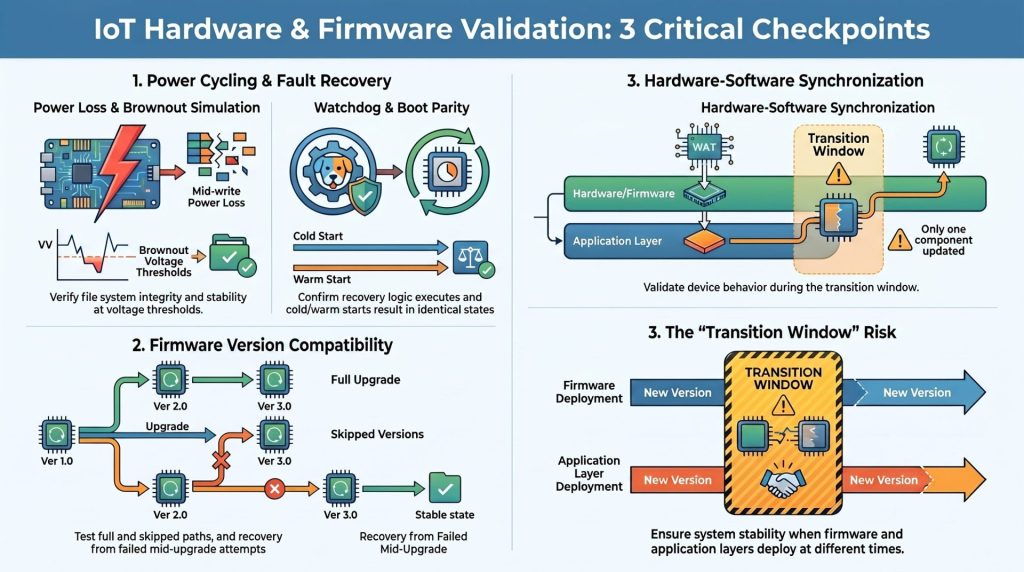
- Abrupt power loss mid-write: Verify that file system integrity is maintained and the device does not boot into a corrupt state.
- Watchdog timer validation: Confirm the watchdog fires on hang conditions and that recovery logic executes correctly, not just that the timer is configured.
- Cold boot and warm boot parity: Confirm that device state after a cold restart matches expected behavior, not just that the device boots at all.
- Brownout simulation: Test behavior at the voltage threshold where the device is powered but not stable, a condition that produces subtle state corruption that standard power tests miss.
Firmware Version Compatibility Across Device Generations
If your product has been in market for more than one release cycle, your installed base is running multiple firmware versions simultaneously. New firmware must be validated against every supported prior version, not just the immediately preceding one.
Test the full upgrade path from the oldest supported version to the current release. Test skipped-version upgrades. Confirm that configuration data written by an older firmware version is either correctly migrated or gracefully rejected by the new one. Verify that a failed mid-upgrade does not leave the device in a state that blocks future update attempts.
Hardware-Software Synchronization Across Concurrent Update Paths
When a device update involves both a firmware component and an application layer update, the two components rarely deploy to every device at exactly the same moment. Your checklist must verify behavior during the transition window: the period when one component has updated and the other has not.
The Owlet team ran into this directly. Life-critical infant monitors required synchronized firmware updates across cameras and wearables, and fragmented multi-platform releases were creating systemic risk. After Outpost QA implemented a dynamic testing matrix for hardware-software synchronization, release throughput increased from 16 to 27 deployments per quarter with zero regulatory findings on Medical Application Verification Reports.
Connectivity, Protocol, and Edge-Case Coverage
A device that functions perfectly in a controlled lab environment and fails in a suburban living room with twelve competing Wi-Fi networks is a field failure, not a test success. Connectivity testing must simulate the conditions devices actually encounter.

Protocol Conformance Testing (MQTT, CoAP, BLE, Zigbee)
Protocol conformance means verifying that your device implements the protocol correctly, not just that it can establish a connection. For each protocol your device uses, validate:
- Message ordering and QoS levels: For MQTT, confirm that QoS 1 and QoS 2 semantics are honored correctly under packet loss, not just under clean network conditions.
- Pairing and reconnection behavior: For BLE and Zigbee, test what happens when a device loses its paired connection and attempts to re-pair with a hub that has rebooted.
- Payload size edge cases: Test behavior at the maximum payload size for the protocol, and test with malformed or oversized payloads to confirm graceful rejection rather than silent corruption.
Network Degradation and Intermittent Connectivity Simulation
Most IoT testing checklists skip network degradation simulation entirely. Your device will operate in environments with packet loss, high latency, and intermittent connectivity. Test for:
- Intermittent disconnection: Simulate connections that drop and restore repeatedly within a short window. Verify that the device does not enter a retry storm that drains the battery or floods the backend.
- High-latency conditions: Confirm that timeout values are calibrated for real-world latency, not just local network latency.
- Complete connectivity loss: Verify that the device degrades gracefully, queues data locally if applicable, and synchronizes correctly when connectivity is restored.
Multi-Device Interaction and Fleet-Scale Behavior
A device that passes all single-unit tests may still fail when fifty units in the same environment attempt to communicate with the same hub or backend simultaneously. Fleet-scale behavior must be tested before launch, not discovered in a support ticket after a large installation.
Simulate concurrent device provisioning, simultaneous OTA update delivery to a fleet, and conflict resolution when multiple devices report competing state updates to the same backend record.
Security and DevSecOps Checks Before the Device Ships

Security validation and a DevSecOps strategy are absent from most IoT pre-launch checklists. By the time a device ships, the window to address a firmware-level vulnerability closes. Patching deployed devices in the field is expensive, slow, and sometimes impossible.
Firmware Binary Analysis and Known CVE Scanning
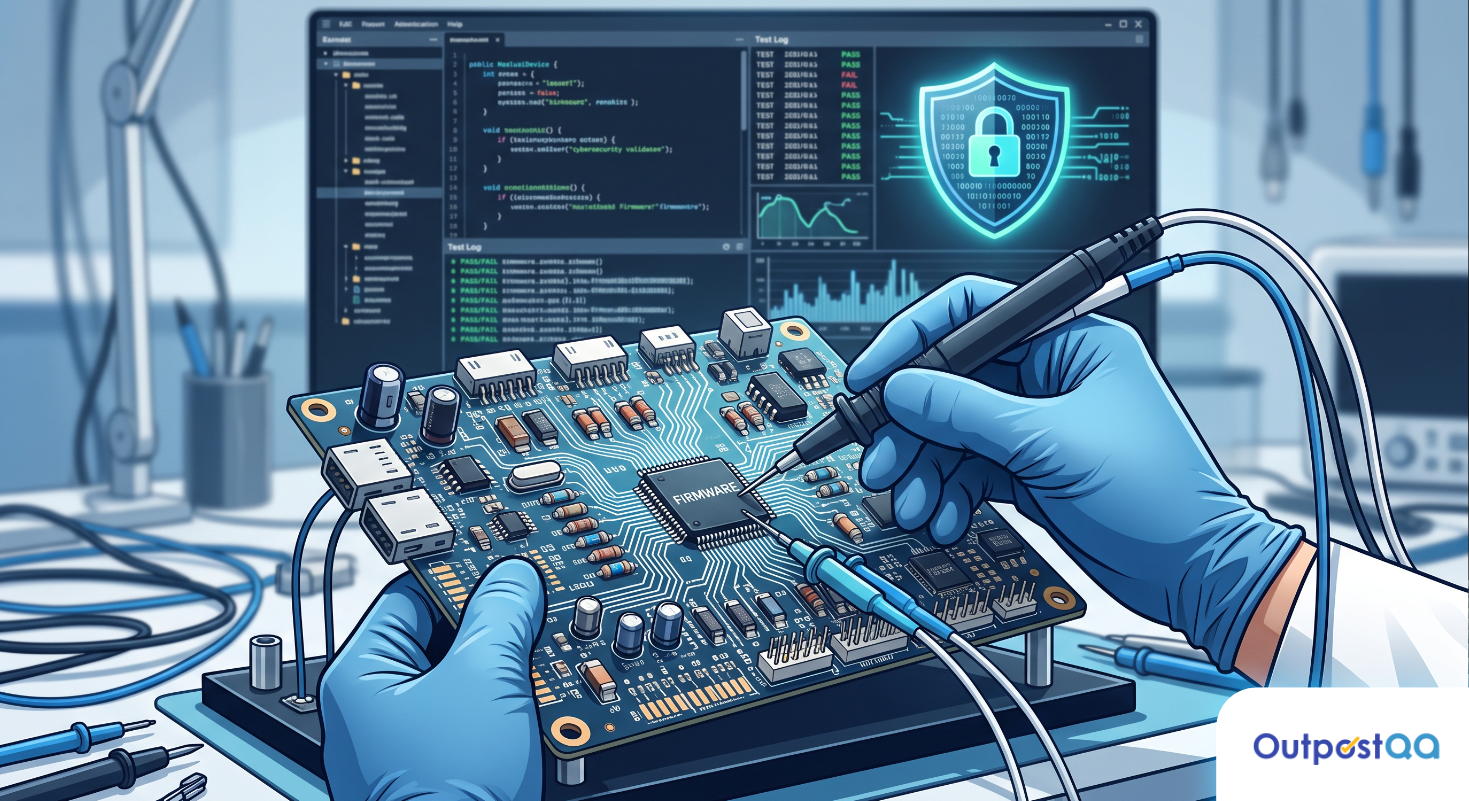
Before a firmware build is approved for production, run automated binary analysis against it. Use tools like Binwalk to extract and inspect embedded file systems for hardcoded credentials, exposed debug interfaces, and known vulnerable library versions. Cross-reference third-party components against the National Vulnerability Database for current CVEs.
This step belongs in the CI/CD pipeline as a gate, not as a one-time pre-launch exercise.
Authentication, Credential Storage, and Encrypted Communication Validation
Verify that:
- Device-to-cloud communication uses TLS with certificate validation, not just encryption.
- Credentials are stored in secure storage, not in plaintext configuration files or environment variables accessible from the application layer.
- Default credentials are either absent or forced to change on first provisioning.
- API tokens used for device authentication are scoped to the minimum required permissions.
OTA Update Integrity and Rollback Safety
OTA update failure is one of the highest-risk events in an IoT product’s lifecycle. Your checklist must confirm that every update package is cryptographically signed and that the device validates the signature before applying it. Test rollback: if an update fails mid-installation, the device must return to the prior known-good firmware version automatically. Verify that a device stuck in a rollback loop can still receive and apply a corrective update.
CI/CD Pipeline Integration for Embedded and IoT Releases
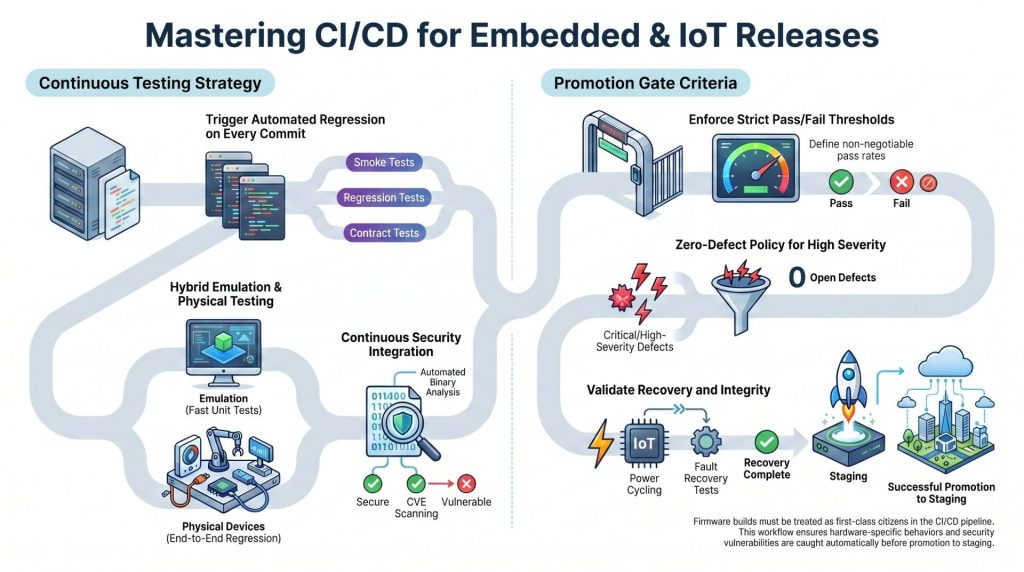
The CI/CD pipeline is where most IoT QA processes have the largest structural gap. Firmware builds are often treated as artifacts to be tested manually after the pipeline completes, rather than as first-class pipeline citizens with automated gates.
Triggering Automated Regression on Every Firmware Build
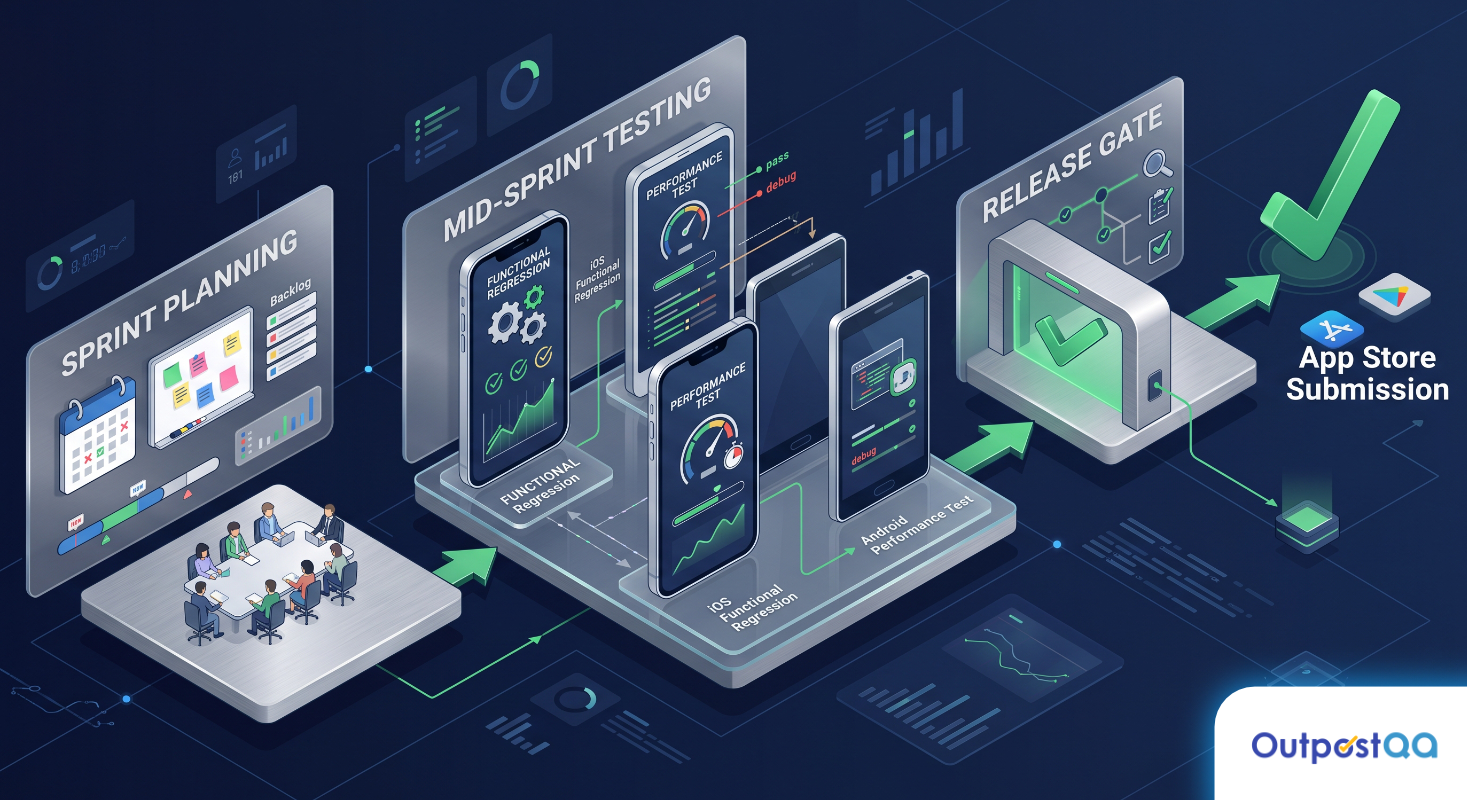
Every firmware commit should trigger a regression suite. This includes smoke tests confirming basic boot and connectivity, regression tests covering previously fixed defects, and interface contract tests validating that the firmware correctly implements the expected API surface that the application layer depends on. If your pipeline only triggers automated tests on application layer builds, you are flying blind on the component that is hardest to patch after deployment.
Emulation vs. Physical Device Trade-offs in the Pipeline
Emulation allows fast, parallelized test execution without physical hardware inventory. Physical device testing catches hardware-specific behavior that emulators cannot reproduce. The right answer for most teams is both: use emulation for fast feedback on unit and integration tests, and use physical device pools for end-to-end regression and hardware interaction tests. Define explicitly in your pipeline which test categories run on emulators and which require physical hardware. Do not let that distinction collapse under schedule pressure.
Gate Criteria and Pass/Fail Thresholds Before Promotion to Staging
Define the minimum pass criteria required before a firmware build is promoted to the staging environment. This should include a specific pass rate for automated regression, zero open critical or high-severity defects from the current build’s test run, successful completion of power cycling and fault recovery tests, and a clean run of the firmware binary analysis security gate. A build that does not clear every gate does not move forward. The threshold is not negotiable at release time.
Three Signs Your IoT QA Process Will Not Hold at Launch
These are not hypothetical warning signs. They are the conditions that precede the most common IoT launch failures:
- Your regression suite runs on the application layer but not on firmware builds. Firmware changes that break hardware-software sync will reach staging undetected.
- Your checklist was written for one device generation and has not been updated since. As the product evolves across hardware revisions, the checklist must evolve with it. A static checklist is a false confidence instrument.
- Security validation is a pre-launch review, not a pipeline gate. If a CVE scan happens once before launch rather than on every build, you are not catching vulnerabilities introduced during the release sprint.
If any of these conditions apply to your team, the checklist above is the starting point. The more important step is integrating it into a repeatable process that does not depend on one engineer remembering to run it before the release window.
Outpost QA specializes in Hardware, IoT, and Firmware Testing for teams shipping physical and connected products. If you want a second set of eyes on your current pre-launch process before your next release window, talk to an Outpost QA specialist and pressure-test your checklist against the gaps that reach production most often.
Frequently Asked Questions
What is the minimum viable IoT pre-launch testing checklist for a small team?
At minimum, cover power cycling and fault recovery, firmware version compatibility with the prior release, OTA update integrity and rollback safety, and a basic security scan for hardcoded credentials and known CVEs. These four areas account for the majority of critical post-launch failures in IoT products. Everything else in a full checklist adds depth, but these are the non-negotiables.
How do we handle firmware testing in a CI/CD pipeline that was built for software releases?
Start by adding firmware builds as pipeline artifacts and attaching a basic smoke test suite to every firmware build trigger. Even five automated tests running on firmware are better than zero. From there, add emulation-based unit tests, then introduce a physical device pool for end-to-end regression. The pipeline structure does not need to be rebuilt from scratch; it needs firmware-specific gates added incrementally.
How often should the IoT pre-launch checklist be reviewed and updated?
Review the checklist at the start of every major release cycle and whenever a new hardware revision is introduced. A checklist written for version 1.0 hardware will have blind spots for version 2.0 hardware. Assign explicit ownership for checklist maintenance so it does not drift into irrelevance between release cycles.
What is the difference between protocol conformance testing and functional connectivity testing?
Functional connectivity testing confirms that a device can establish and use a connection. Protocol conformance testing confirms that the device correctly implements the protocol specification, including edge cases, error handling, and behavior under degraded conditions. A device can pass functional connectivity tests and still fail in the field because it mishandles a QoS level or does not implement reconnection backoff correctly.
When should security testing happen in the IoT release cycle?
Security testing should happen continuously throughout the release cycle, not only before launch. Binary analysis and CVE scanning belong in the CI/CD pipeline as automated gates on every firmware build. Manual security review and penetration testing are appropriate at key milestones such as feature freeze and release candidate. Treating security as a one-time pre-launch review means vulnerabilities introduced during the sprint are not caught until it is too late to address them cleanly.